Invisible Walls: How Silent Dimension Data Errors Are Sabotaging Your Gate Assignments
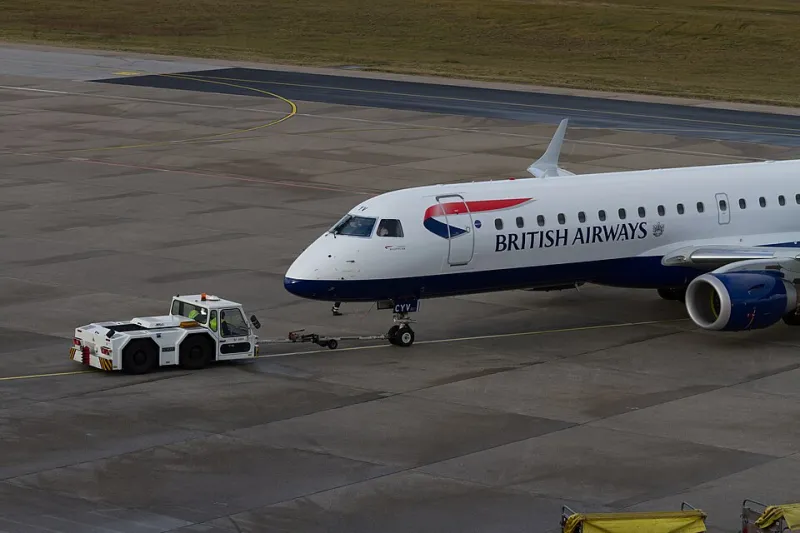
Simulation realism lives and dies in its data. A visually stunning airport add-on with meticulously modeled jetways and photo-realistic terminal textures can still produce operationally absurd results if the underlying dimension parameters governing gate compatibility are inaccurate. A Boeing 737-900ER rejected from a gate wide enough to accommodate it. A regional Embraer 175 accepted at a wide-body international stand. These are not edge cases. They are routine consequences of a data quality problem that runs deep through the flight simulation ecosystem—and one that most simmers have neither the tools nor the framework to address.
This analysis examines how aircraft dimension data enters the simulation pipeline, where errors originate, and what technically capable simmers can do to identify and correct mismatches that are quietly undermining the realism of their gate operations.
The Dimension Pipeline: From Manufacturer to Simulation
In real-world aviation, aircraft physical dimensions are published by manufacturers in Aircraft Characteristics documents—publicly available PDFs that specify wingspan, overall length, tail height, fuselage width, and gear track measurements to the centimeter. Airlines, ground handlers, and airport operators use these documents to verify gate compatibility before a new aircraft type ever touches a specific apron.
In simulation, this data travels a different route. Aircraft developers encode dimension values into configuration files, and airport scenery developers define gate size categories using either ICAO code letter designations (A through F) or proprietary size classifications specific to their chosen simulator platform. The problem is that neither side of this equation is consistently accurate, and the two datasets are rarely validated against each other.
The result is a compatibility matrix built on approximate values, developer assumptions, and occasionally outright errors that go undetected because they produce failures that look like feature behavior rather than data corruption.
How Errors Enter the System
Developer Estimation and Rounding
Not every aircraft developer consults manufacturer documentation when defining dimension parameters. Some estimate values from publicly available silhouette drawings or scale photographs—methods that introduce systematic errors, particularly in wingspan and gear track measurements where small visual distortions in source imagery translate to meaningful numerical inaccuracies.
A wingspan recorded as 112 feet in a simulator's aircraft configuration when the published value is 117 feet and 5 inches may seem trivial, but gate compatibility logic operating on tight tolerances will treat that aircraft as a different size category than it actually occupies. At congested hubs like Chicago O'Hare or Dallas/Fort Worth, where gate assignments are optimized to the foot, this discrepancy can produce cascade rejections across multiple compatible stands.
ICAO Code Letter Misassignment
Many airport add-ons assign ICAO aerodrome reference code letters to parking spots as a shorthand for aircraft size compatibility. Code C accommodates aircraft with wingspans between 24 and 36 meters; Code D handles 36 to 52 meters; Code E stretches to 65 meters. When an aircraft developer assigns their model the wrong code letter—or when an airport developer applies code letters based on the primary airline using a gate rather than the physical geometry of the stand—the compatibility filter produces incorrect results.
This is particularly prevalent in add-ons built around specific airline hubs. A developer building a detailed American Airlines terminal at Dallas/Fort Worth may assign Code E designations to gates primarily used by 737s, reasoning that the terminal handles wide-body traffic elsewhere, without accounting for the physical constraints of each individual stand.
Unit Conversion Errors
The flight simulation community is international, and dimension data crosses between metric and imperial measurement systems constantly. An aircraft developed by a European studio, specified in meters, and imported into a compatibility database maintained in feet is a conversion error waiting to happen—especially when the conversion is performed by automated tools without human verification of the output.
A wingspan of 34.1 meters is approximately 111 feet 10 inches. If a conversion script rounds to 111 feet rather than 112 feet, and the gate compatibility threshold is set at 112 feet, the aircraft will be rejected from a stand it can physically occupy.
Measurement and Validation Tools
In-Simulator Measurement
Microsoft Flight Simulator's Developer Mode includes a measurement overlay that allows users to inspect distances within the simulation environment. By spawning an aircraft at a gate and activating the measurement tool, simmers can compare the actual rendered wingspan against the value stored in the aircraft's configuration file. Discrepancies of more than one meter warrant investigation.
X-Plane users can access similar functionality through Planemaker, the aircraft development tool bundled with the simulator, which displays all defined dimension parameters for any loaded aircraft file.
Cross-Referencing Manufacturer Data
The authoritative source for aircraft dimensions is the manufacturer's Airport Planning document, distinct from the Aircraft Characteristics document mentioned earlier. Boeing publishes these for all commercial variants through its Airport Compatibility website. Airbus maintains equivalent documentation through its Aircraft Characteristics portal. Embraer, Bombardier, and ATR publish similar materials through their respective customer support channels.
For each aircraft in your hangar, locate the corresponding planning document and compare the published wingspan, tail height, and fuselage width against the values stored in your simulator's aircraft configuration. This comparison takes approximately ten minutes per aircraft type and can reveal errors that have been silently distorting your gate operations for years.
Airport Stand Geometry Validation
On the airport side, validate gate dimensions against FAA Advisory Circular 150/5300-13B, which specifies taxilane and apron dimensions for each ICAO code letter category. For US airports, the FAA's Airport Data and Information Portal (ADIP) contains published gate data for major commercial facilities that can serve as a ground truth reference when evaluating whether an add-on's stand designations are accurate.
Correcting the Mismatches
Once errors are identified, correction methodology depends on which side of the pipeline contains the fault.
For aircraft configuration errors in MSFS, the aircraft.cfg file contains a [GENERAL] section with icao_type_designator and size-related parameters. Modifying these values to match manufacturer documentation corrects the aircraft's self-reported dimensions. Always document original values before editing.
For airport stand errors, the correction process varies by platform. In X-Plane, WED (WorldEditor) allows direct modification of parking spot size designations. In MSFS, the SDK's scenery editor provides equivalent functionality. For payware airports, contact the developer with documented evidence of the discrepancy—most reputable studios welcome data corrections and incorporate them into patch releases.
The Operational Dividend
A simulation environment built on accurate dimension data does not merely feel more realistic. It behaves more realistically—producing gate assignments that mirror actual airline operations, rejecting aircraft that real ramp controllers would reject, and accommodating pairings that real ground crews execute daily. That behavioral authenticity is the standard VDG SimDock holds its readers to, because mastering the gate means understanding not just the procedure but the data that governs it. Correct the numbers. Unlock the operations.