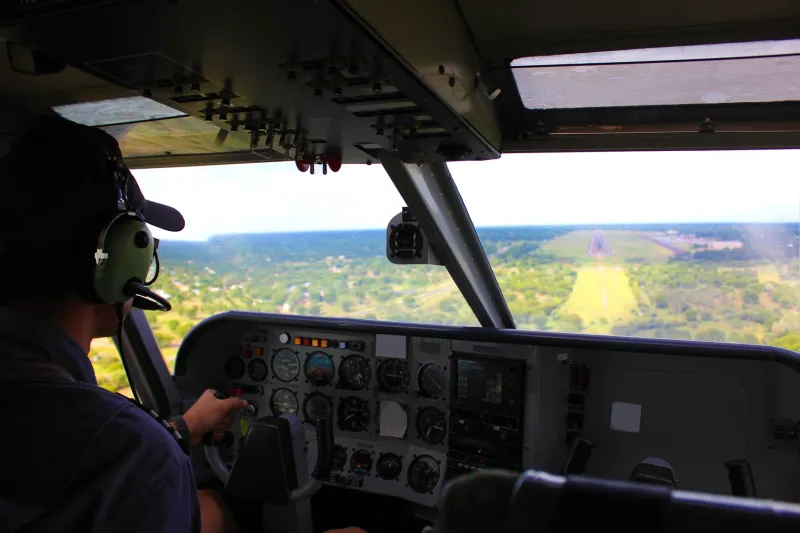
Vanishing Act: Diagnosing the Rendering Failures That Make Aircraft Disappear at the Gate
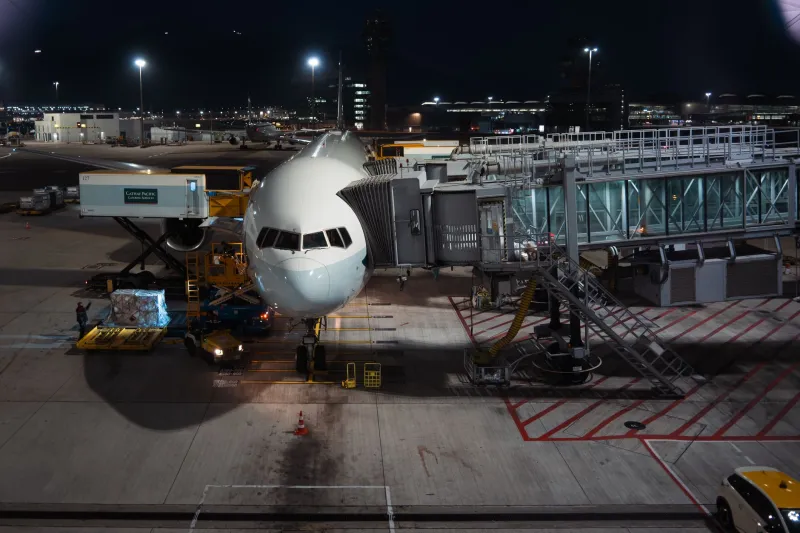
There is a particular kind of frustration reserved for the moment when a carefully executed approach — stabilized speed, centered guidance, flawless wind correction — ends with your aircraft simply ceasing to exist on screen. No collision. No warning. Just a sudden, inexplicable absence where a fully loaded narrowbody should be sitting at the gate. Within the flight simulation community, this phenomenon has acquired an informal name: the phantom gate. Understanding why it happens requires a methodical look at how modern simulator engines, third-party scenery packages, and aircraft addons interact — and, more often than not, fail to cooperate.
What "Disappearing" Actually Means in Simulation Terms
Before diagnosing the problem, it is worth establishing precise language. When simmers describe an aircraft "disappearing" during final approach or docking, they are typically describing one of three distinct failure modes.
The first is complete model culling, in which the simulator's rendering engine removes the aircraft mesh from the draw call entirely. This usually occurs when a bounding box conflict causes the engine to conclude that the model is obscured or out of the active view frustum — even when it clearly is not.
The second is LOD transition failure, or Level of Detail switching gone wrong. Most aircraft models use multiple mesh resolutions depending on camera distance. When an addon's LOD thresholds are miscalibrated, the model can snap from a high-detail mesh to a zero-polygon placeholder — effectively invisible — at precisely the short range that characterizes a gate docking sequence.
The third is Z-fighting and geometry clipping, in which overlapping polygons from the scenery and aircraft model occupy the same coordinate space, causing the renderer to arbitrarily suppress one or both objects. Near jetways, ground equipment, and terminal facades, this is particularly common.
Each failure mode has a different cause and, critically, a different fix.
The Role of Scenery Injection and Coordinate Conflicts
Popular US hub airport addons — packages covering facilities such as Chicago O'Hare, Dallas/Fort Worth, or Los Angeles International — achieve their visual fidelity by injecting enormous volumes of custom geometry directly into the simulator's coordinate space. Gate structures, jetways, terminal glass, and ground markings are all placed with millimeter-level precision relative to real-world latitude and longitude data.
The problem arises when an aircraft addon's collision or visibility model was built against a different version of that airport's layout, or against the default simulator scenery. When the third-party scenery shifts a gate position by even a fraction of a degree to correct a real-world accuracy error, the aircraft model's expected docking coordinates no longer align with the actual geometry. The result is a renderer that receives contradictory spatial instructions and resolves the conflict by suppressing one of the competing objects.
Developers at several prominent US-based scenery studios have acknowledged this issue in public forums, noting that coordinate drift between simulator updates and real-world AIRAC data cycles creates a moving target that is exceptionally difficult to lock down across every supported aircraft type.
LOD Distance Thresholds: The Invisible Culprit
Level of Detail management is one of the least examined contributors to phantom gate events, yet it may be the most common. Aircraft model developers typically configure LOD transitions for cruise and approach scenarios, where the aircraft is observed from distances measured in miles rather than feet. The close-range environment of a gate docking sequence — where the camera may be positioned ten to thirty feet from the nose — sits entirely outside the design envelope for many LOD configurations.
In Microsoft Flight Simulator 2020 and 2024, LOD behavior can be partially controlled through the ModelBehaviors XML and the LOD entries within an aircraft's model configuration files. When a third-party aircraft addon ships with an aggressive LOD cutoff — one that drops to a low-polygon or null mesh below a certain screen-space threshold — the model will vanish precisely when the simmer needs it most.
Simmers encountering this specific failure pattern should examine whether the disappearance is camera-dependent. If the aircraft remains visible in external views from a greater distance but vanishes when the camera is brought close, an LOD misconfiguration is the most probable cause. Some addon developers have released targeted patches addressing this; others have not. Consulting the developer's official support forum or the community's published compatibility matrices is advisable before purchasing or updating a package intended for heavy gate work.
Shader Conflicts and Draw Order Anomalies
A less frequently discussed but equally valid cause involves shader pipeline conflicts between aircraft and scenery addons that rely on custom shader injection. Several high-fidelity US airport packages use proprietary shaders to render glass reflections, wet pavement surfaces, and dynamic lighting on terminal facades. When these shaders interact with the physically based rendering materials used by modern aircraft addons, draw order anomalies can cause entire model sections to be rendered behind geometry that should be behind them — or not rendered at all.
This category of failure tends to manifest as partial disappearance: a fuselage that clips through a terminal wall, a wing that becomes translucent when it passes within a certain proximity of a jetway, or a nose section that vanishes as it crosses the stop-bar threshold. Unlike LOD failures, shader conflicts are substantially more difficult for end users to resolve independently, as they require either a patch from one or both developers or a manual edit of shader priority files — an approach that carries risk of broader instability.
Practical Troubleshooting Strategies
For simmers experiencing phantom gate events, a structured diagnostic approach will save considerable time.
Step one is isolation. Reproduce the disappearance using only the default simulator scenery. If the aircraft remains visible throughout the docking sequence, the fault lies with the third-party airport addon or its interaction with the aircraft package. If the aircraft disappears even against default scenery, the problem is internal to the aircraft model itself.
Step two is LOD verification. Review the aircraft addon's published documentation or configuration files for LOD distance values. Community tools such as ModelConverterX allow inspection of LOD thresholds without requiring full model editing access.
Step three is scenery load order review. In simulators that permit manual scenery priority configuration, placing the airport addon higher or lower in the load order can resolve coordinate conflicts in many cases. This is a low-risk first intervention worth attempting before more invasive steps.
Step four is community consultation. The US simulation community maintains active threads on platforms such as AVSIM and the official MSFS forums specifically cataloging known incompatibilities between major aircraft and airport addons. Cross-referencing your specific combination of packages against these records frequently yields a direct solution.
What Developers Can Do Better
The phantom gate problem is not solely the simmer's burden to bear. Addon developers, particularly those targeting the highly demanding gate simulation segment of the market, have a professional obligation to test their products against the full range of popular aircraft packages at close docking distances. Automated testing pipelines that verify model visibility across a matrix of camera positions and distances would catch the majority of LOD and bounding box failures before release.
Furthermore, the broader simulation development community would benefit from a standardized coordinate reference system for gate positions — one that remains stable across simulator updates and can be adopted uniformly by both scenery and aircraft developers. Until such a standard exists, coordinate drift will continue to produce phantom gates at some of the most meticulously modeled airports in the ecosystem.
Conclusion
The phantom gate is not a mystery. It is the predictable consequence of complex systems built to independent specifications, colliding in the narrow physical space where precision matters most. By understanding the three primary failure modes — model culling, LOD misconfiguration, and shader conflict — simmers can approach the problem systematically rather than with resignation. And as the simulation platform continues to mature, the expectation that a perfectly executed docking sequence should end with a visible, properly positioned aircraft at the gate is not an unreasonable one. It is, in fact, the minimum acceptable standard.