Brake or Break: Diagnosing Parking Brake Logic Conflicts That Sabotage Final Gate Positioning
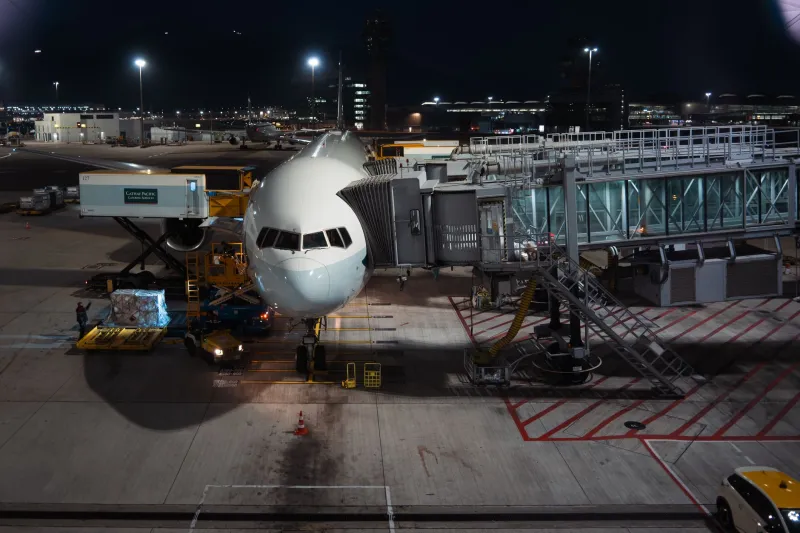
There is a particular brand of frustration reserved for the simmer who has executed a textbook approach, threaded a narrow taxiway at a congested hub like O'Hare or Atlanta's Hartsfield-Jackson, and then watched helplessly as the aircraft creeps past the stop bar or refuses to hold position at the jetway. No gust. No slope. No obvious user error. Just an aircraft that will not stay where it is told to stay. In the vast majority of these cases, the culprit is not pilot technique — it is a parking brake logic conflict operating entirely out of sight, quietly undermining the integrity of the entire docking sequence.
Understanding this failure mode requires looking beneath the surface of how modern flight simulators model braking systems, and why those models sometimes collide with third-party aircraft add-ons, ground handling scripts, and platform-level physics in ways that produce deeply counterintuitive behavior.
What Is a Parking Brake Logic Conflict?
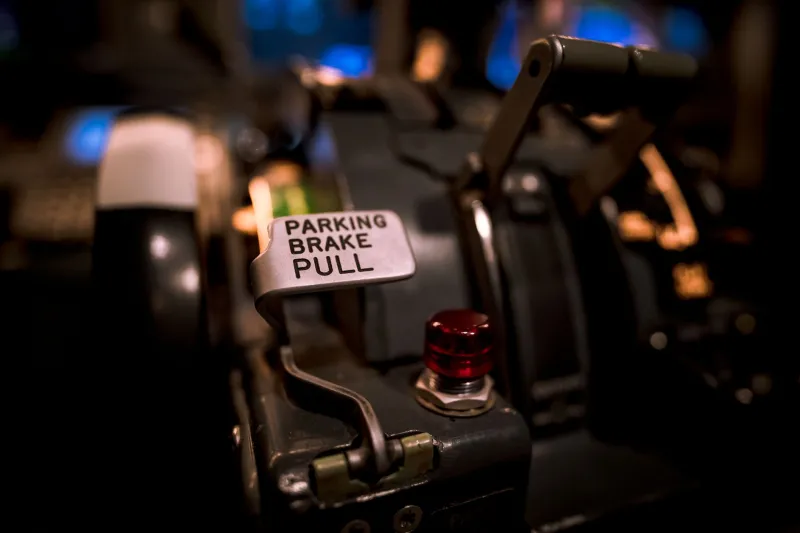
At its core, a parking brake logic conflict occurs when two or more systems simultaneously assert competing instructions over the aircraft's braking state. In a properly functioning simulation environment, the parking brake is a simple binary: engaged or disengaged. The aircraft either holds position or it is free to move. In practice, however, the chain of command governing that state is far more complex.
Most advanced aircraft add-ons — particularly those modeling transport-category jets — implement their own custom brake logic that overrides or supplements the host simulator's native braking variables. Meanwhile, ground handling modules, pushback utilities, and even certain airport scenery packages write to the same underlying data fields. When these systems do not coordinate their read/write priorities correctly, the result is a conflict: one layer of code believes the brake is engaged while another is actively releasing it, or vice versa. The aircraft's physical behavior becomes a reflection of whichever instruction wins the arbitration cycle at any given moment — which, depending on frame timing, can change several times per second.
Why Final Gate Positioning Is the Most Vulnerable Phase
The irony of this failure mode is that it most often manifests during the phase of operation that demands the greatest precision. During taxi, even a partially unreliable braking response may go unnoticed — the aircraft is moving, corrections are intuitive, and minor drift is easily attributed to surface irregularities. But at the gate, when the simmer is attempting to hold a stationary position within inches of a target stop mark, any inconsistency in brake behavior becomes immediately and painfully obvious.
Several factors converge to make this phase uniquely susceptible. First, many pushback utilities release their hold on the aircraft's positional data only after the parking brake is confirmed as set — but if a logic conflict prevents that confirmation from registering cleanly, the utility may continue issuing residual movement commands. Second, some aircraft add-ons trigger automated checklists or system transitions at parking that momentarily release brake pressure as part of a scripted shutdown sequence, creating a window of unintended movement. Third, certain airport ground service mods — particularly those that animate jetway docking or wheel chock placement — interact with the same physics variables that govern brake state, occasionally introducing a momentary release as a side effect of their own scripting.
Platform-Specific Behavior Patterns
The expression of this conflict varies meaningfully across the major simulation platforms available to US-based simmers.
On Microsoft Flight Simulator 2020 and its successor, the SimConnect architecture means that third-party modules communicate with the core simulator through a defined API. When multiple modules write to the BRAKE PARKING INDICATOR or BRAKE PARKING POSITION variables without proper semaphore management, conflicts are almost inevitable in high-add-on environments. Users running complex aircraft like the PMDG 737 or Fenix A320 alongside popular ground handling suites have reported this issue most frequently, particularly after platform updates that alter variable behavior without corresponding updates to add-on logic.
In X-Plane, the Datarefs system presents a similar risk profile. The sim/cockpit2/controls/parking_brake_ratio dataref can be written by multiple plugins simultaneously, and without plugin priority management, the last write in any given frame wins. This produces the characteristic "creeping" behavior — the aircraft drifts slowly forward or backward despite the parking brake appearing to be set in the cockpit — because the winning instruction alternates unpredictably between frames.
Prepar3D users, particularly those operating in professional or extended edition environments common among serious US-based simmers, encounter a variant of this problem tied to SimObject interactions. GSE vehicles and animated jetway add-ons occasionally assert positional corrections that conflict with brake state, producing a subtle but persistent oscillation around the target stop position.
Diagnostic Steps for Identifying the Conflict
Before applying any workaround, it is essential to confirm that a logic conflict is actually the source of the problem rather than a slope miscalibration, a weight-and-balance error, or a straightforward user configuration issue. The following diagnostic sequence is recommended.
Step one: Reproduce the behavior in a clean environment. Disable all third-party add-ons except the aircraft itself and test parking brake behavior on a flat, featureless apron. If the brake holds cleanly, the conflict is introduced by an external module.
Step two: Reintroduce add-ons in isolation. Enable the ground handling suite without the airport scenery, then the airport scenery without the ground handling suite. Identify which module, or which combination, triggers the conflict.
Step three: Consult the developer's variable documentation. Most reputable add-on developers publish the SimConnect variables or Datarefs their products write to. Cross-reference these lists for overlap. Overlap does not guarantee conflict, but it identifies the candidates.
Step four: Use a variable monitoring tool. Applications such as FSUIPC's logging interface or X-Plane's DataRefTool allow real-time observation of brake state variables. Watch for rapid oscillation or unexpected value changes while the parking brake is nominally set. Oscillation is the definitive signature of a logic conflict.
Practical Workarounds That Preserve Immersion
Once the conflict is identified, several mitigation strategies are available, each carrying a different trade-off between convenience and fidelity.
The most reliable solution is load order management. In platforms that support it, ensuring that the aircraft add-on's brake logic initializes after any ground handling scripts prevents the latter from overwriting an established brake state. Most platform launchers and add-on managers allow manual sequencing.
For conflicts rooted in GSE or jetway animation scripts, disabling the specific animation trigger that overlaps with brake variables — often configurable within the add-on's settings menu — eliminates the conflict while preserving the majority of the visual experience.
In cases where no configuration-level fix is available, a behavioral workaround is effective: engage the parking brake, allow the aircraft to settle for a full three to five seconds before initiating any shutdown checklist items, and avoid activating GSE animations until positional stability is confirmed. This sequence reduces the probability that competing scripts overlap during their most active write phases.
Finally, reporting the conflict to the relevant add-on developer with the variable monitoring log attached is both a responsible community practice and often the fastest path to a permanent fix. The US-based simulation community is well-served by developers who are responsive to technically documented bug reports.
The Gate Demands Precision — So Should Your Systems
Mastering the gate is, at VDG SimDock, the foundational objective. That mastery is only meaningful when the systems underneath it are functioning with the same integrity we expect from our own technique. A parking brake conflict is not a minor inconvenience — it is a structural failure in the simulation's physics contract, one that undermines every hour of procedural discipline invested in the approach. Diagnosing it systematically, resolving it methodically, and understanding why it occurs in the first place transforms an invisible saboteur into a solved problem. That is the standard every serious gate simmer should hold their configuration to.