Stuck at the Threshold: Diagnosing Nose Gear Misalignment and Reclaiming Perfect Jet Bridge Contact
There is a particular brand of frustration reserved for the simmer who executes a textbook approach, manages taxi speed with discipline, and still watches the jet bridge animation swing awkwardly into empty air. The nose gear has stopped somewhere in the general vicinity of the correct position, but "general vicinity" is not a standard any real-world ground crew would accept. Understanding why this happens—and how to correct it—requires examining the problem from multiple angles: aircraft add-on configuration, simulator physics architecture, and the operational logic that governs jet bridge behavior at simulated US hub airports.
What "Alignment" Actually Means at the Gate
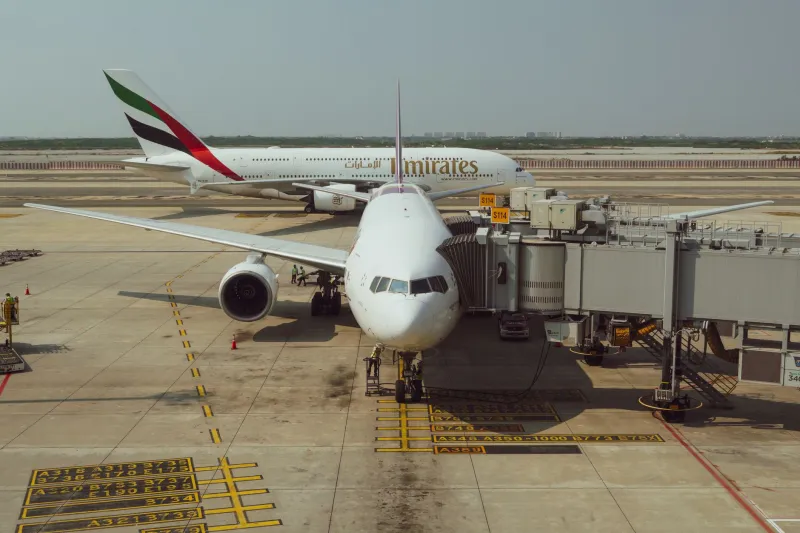
Before diagnosing the problem, it is worth establishing a precise definition of the target. In real-world operations, a jet bridge does not connect to an aircraft at a fixed, universal point. The bridge operator adjusts the tunnel's height, angle, and horizontal extension to mate with the forward cabin door—typically the L1 door on most narrowbody and widebody aircraft. The nose gear stopping position is the reference point the ground crew uses to judge whether the aircraft has taxied far enough forward, and painted nose gear guidance boxes on the apron surface exist for exactly this reason.
In simulation, this relationship is governed by a combination of factors: the aircraft's defined reference datum, the gate object's hardcoded stop-point trigger, and the jet bridge animation logic embedded in the airport scenery. When any one of these elements is miscalibrated, the visual result is a bridge that either falls short of the door, overshoots it, or never deploys at all.
The Aircraft Configuration Layer
The most common source of misalignment in third-party add-on aircraft is an incorrectly defined nose gear contact point or an inaccurate fuselage reference offset. Aircraft developers must manually specify where the nose gear physically touches the ground relative to the aircraft's model origin. If this value drifts even slightly from the real-world specification, every gate stop in the simulator will be off by a consistent, reproducible margin.
Simmers using popular US-modeled aircraft—think narrowbodies commonly found at Southwest, United, or American gates—should cross-reference the developer's published changelog whenever a new update ships. Nose gear contact point corrections are frequently buried in patch notes under generic language like "ground physics refinements" or "taxi behavior improvements." These are not cosmetic fixes. They directly affect where your aircraft registers as "stopped" relative to the gate's trigger volume.
If you suspect an aircraft-side error, the diagnostic approach is straightforward. Load the aircraft at a gate with a well-documented stop position, preferably one calibrated by a reputable US airport scenery developer. Note the distance between your nose gear and the painted guidance marking. If the offset is consistent across multiple gates and multiple airports, the aircraft configuration is the probable culprit. Document the discrepancy and report it to the developer with specific gate references.
The Scenery and Gate Object Layer
Airport add-ons introduce their own layer of complexity. Jet bridge behavior in most major simulator platforms is driven by a combination of the gate object's defined aircraft parking radius and a set of aircraft-type compatibility parameters. When a scenery developer builds a gate for a Boeing 737-800, they are encoding an expected nose gear stop position based on that aircraft's real-world dimensions. If you are flying a third-party variant whose geometry deviates from the base simulator's default model—even by a few inches in the contact point definition—the bridge animation will misfire.
US airports are particularly prone to this issue at gates that serve multiple aircraft types. Facilities like Chicago O'Hare, Dallas/Fort Worth, and Atlanta Hartsfield-Jackson regularly park everything from regional jets to widebody internationals at reconfigurable gates. Scenery developers who build these locations must make compromises, sometimes optimizing jet bridge behavior for the most common aircraft type while accepting visual imprecision for others. Knowing which aircraft types a given gate was optimized for can save significant troubleshooting time.
Simulator Physics and the Stop-Point Trigger
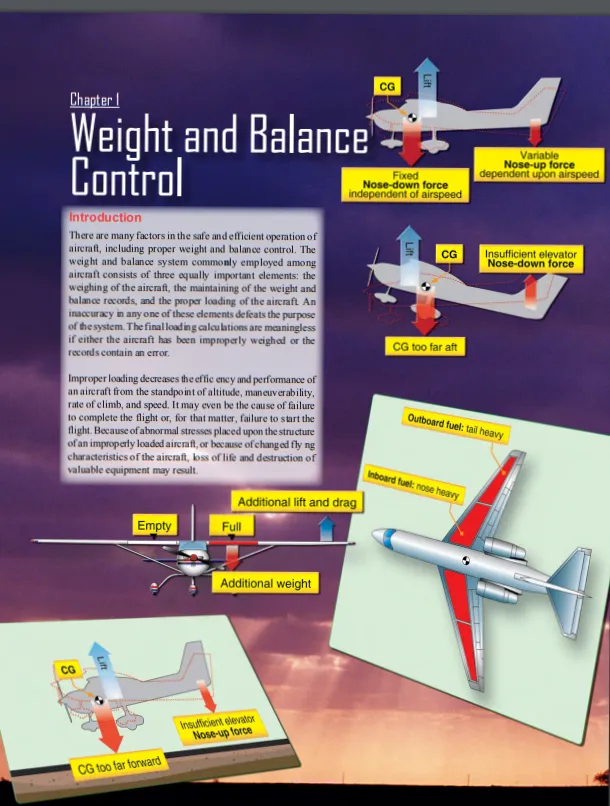
Beneath both the aircraft and scenery layers sits the simulator's own physics engine, and this is where misalignment problems can become genuinely difficult to resolve. Most modern flight simulation platforms calculate nose gear position based on a combination of the aircraft's center of gravity, its pitch attitude at rest, and the contact point offset defined in the aircraft configuration files. A loaded aircraft sitting at a slightly nose-down attitude will register its nose gear at a marginally different ground position than the same aircraft in a nose-high configuration.
This matters more than it might seem. A fully loaded narrowbody on a warm afternoon in Phoenix will compress its main gear oleo struts differently than a lightly loaded departure on a cold morning in Minneapolis. These variations are small in absolute terms, but they interact with tight gate stop tolerances in ways that produce visible misalignment. Simmers who obsess over accurate load configurations—using proper fuel states, passenger distributions, and cargo loads—will encounter this phenomenon more often than those who simply spawn at the gate with default weights.
A Practical Diagnostic Workflow
Approaching this problem systematically will save hours of trial-and-error. The following workflow is recommended for any simmer experiencing persistent nose gear misalignment.
First, isolate the variable. Test the same aircraft at multiple airports and multiple gates. If misalignment is consistent across all locations, the aircraft is the primary suspect. If misalignment varies by location, the scenery is more likely at fault.
Second, consult the developer documentation for both the aircraft and the airport add-on. Many reputable developers publish known compatibility notes or provide configuration files that adjust stop-point behavior for specific aircraft types.
Third, examine available community-developed fixes. The US flight simulation community maintains active forums and configuration repositories where simmers share offset corrections for popular aircraft-airport combinations. These community patches frequently resolve issues faster than waiting for official developer updates.
Fourth, if manual correction is available within the aircraft's configuration files and you are comfortable editing them, adjust the nose gear contact point offset incrementally—no more than a few centimeters per test iteration—until alignment is satisfactory. Always back up original files before making any modifications.
The Operational Discipline Factor
Finally, it is worth acknowledging that some misalignment is self-inflicted. Arriving at the gate with residual forward momentum, braking unevenly, or stopping short of the guidance cue by even a modest margin will compound any underlying technical offset. Real-world ramp crews rely on pilots executing precise, controlled taxi-ins to within inches of the painted stop mark. The same standard applies in simulation.
Developing a consistent pre-stop routine—reducing taxi speed to a walking pace at least thirty feet from the stop mark, centering the nosewheel early, and using progressive braking to a smooth, complete stop—eliminates the human-error component and isolates any remaining misalignment as a purely technical issue. Once you have removed your own variability from the equation, the diagnostic process becomes considerably more reliable.
Perfect nose gear alignment is not a cosmetic luxury. It is the foundation on which every subsequent gate operation depends. Master it, and the rest of the turnaround sequence follows naturally.