Gate Refused: Unpacking the Hidden Compatibility Logic That Blocks Your Aircraft From Accepting an Assignment
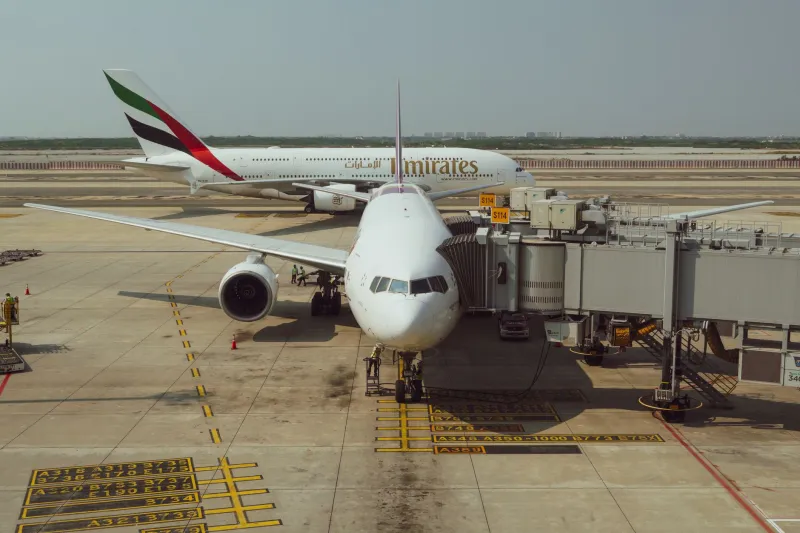
You have executed a clean final turn, held the centerline with discipline, and brought your aircraft to a controlled crawl as the jetway slides into view. Then nothing. The gate assignment sits there, unacknowledged, while your aircraft idles on the ramp as though the destination never existed. No error message. No obvious mismatch. Just a quiet standoff between your simulator and a gate that, by every visible measure, should work.
This scenario is among the most under-documented frustrations in serious flight simulation. The culprit is rarely the gate itself — it is the layered compatibility logic that governs whether a specific aircraft is permitted to occupy a specific stand. Understanding that logic requires looking beyond the sim and into the operational frameworks that real US airports use to manage ramp assignments every single day.
Why Gate Compatibility Is More Than Physical Size
The instinct when a gate refuses an assignment is to check wingspan clearance. That is a reasonable starting point, but wingspan is only one variable in a much longer equation. Real airport operations classify stands according to ICAO Aerodrome Reference Code letters, which bundle aircraft dimensions into tiers — but those tiers are then further filtered by airline-specific ground service contracts, terminal lease agreements, and equipment certifications that vary by carrier and by airport.
Flight simulators that aspire to operational authenticity replicate this filtering system through a combination of aircraft configuration files, airport scenery metadata, and, in more advanced platforms, dynamic traffic databases. When any one of those layers contains a mismatch, the assignment fails silently. The sim does not always surface the reason because, in real operations, the gate management system at a facility like O'Hare or Dallas/Fort Worth would simply route the aircraft elsewhere without explanation to the crew.
The Weight Restriction Variable
One of the most commonly overlooked compatibility filters is maximum ramp weight. Certain gates at US airports — particularly older concrete stands that have not been upgraded — carry structural load limits that exclude wide-body aircraft even when the physical footprint appears accommodating. A Boeing 757 and an Airbus A321 have comparable wingspans, but their maximum takeoff weights diverge by tens of thousands of pounds. A stand rated for the A321 may carry a flag in the scenery database that excludes the 757 on weight grounds alone.
In simulation, this restriction is typically encoded in the airport's AFCAD or equivalent layout file. If you are operating a heavy variant of a popular narrowbody — particularly a fully loaded freighter conversion — and the gate refuses the assignment, pull up the stand properties in your layout editor and compare the listed weight limit against your aircraft's maximum ramp weight. The discrepancy is frequently the entire explanation.
Door Configuration and Jetway Geometry
Gate compatibility logic in high-fidelity simulation also accounts for door placement, which is where many simmers encounter unexpected refusals when switching between aircraft families. The forward entry door on an Airbus A220 sits at a different fuselage station than the equivalent door on a Boeing 737-800. Jetway bridges are calibrated to reach specific door positions, and airport scenery developers who build to real-world specifications encode those calibrations into their stand data.
When a jetway is configured for a particular door geometry and the assigned aircraft presents a different one, the compatibility check can fail at the equipment level rather than the size level. This is especially relevant at terminals that have been purpose-built for a single carrier's fleet — United's facilities at Houston Bush, for example, are optimized around a specific mix of Boeing and Embraer aircraft. Assign an aircraft from outside that design envelope and the jetway geometry may register as incompatible even if the stand is physically large enough to accommodate it.
Airline Code Flags and Exclusive Stand Designations
Perhaps the least visible layer of gate compatibility logic involves airline exclusivity flags. In real US airport operations, stands are frequently leased to specific carriers, and those carriers may restrict access to their own aircraft types. This exclusivity is replicated in simulation through IATA or ICAO airline code filters embedded in the airport layout file or the traffic injection system.
If you are flying a livery that does not match the airline code associated with a particular gate cluster, the assignment may be blocked even if every physical and equipment parameter aligns. This is why a Delta-liveried aircraft will sometimes refuse a gate in a terminal cluster flagged for American Airlines operations, despite identical aircraft dimensions. The fix in most simulators involves either editing the stand's airline filter in the layout file or ensuring your aircraft's airline code metadata matches the terminal designation.
Undocumented Rules in Traffic Injection Systems
Third-party traffic injection tools add another layer of logic that operates largely outside user documentation. These systems maintain their own internal databases of aircraft-to-gate pairings derived from historical flight data, and they apply those pairings as soft or hard constraints during gate assignment. An aircraft type that historically never operated at a particular stand — because the airline that flies it does not serve that terminal — may be excluded by the traffic system's own heuristics, independent of the scenery file's settings.
Diagnosing this layer requires cross-referencing the traffic tool's log output, if available, against the gate assignment attempt. Some advanced users maintain custom override tables that broaden gate eligibility for aircraft types they fly regularly. This approach requires careful editing to avoid breaking the traffic system's broader logic, but it is the most reliable method for resolving persistent refusals that survive every other fix.
A Systematic Diagnostic Approach
When a gate refuses an assignment, the most productive approach is sequential elimination. Begin with the physical parameters: confirm that your aircraft's wingspan, length, and tail height fall within the stand's documented limits. Move next to weight: compare your current ramp weight against the stand's structural rating. Then examine door geometry: verify that your aircraft's forward door position matches the jetway's calibration range.
If those checks clear, shift attention to the metadata layer. Review the stand's airline code filters and confirm your livery's carrier code matches. Finally, consult your traffic injection tool's logs for any override flags applied at the assignment stage. Methodical elimination is slower than guessing, but it produces a root cause rather than a temporary workaround.
Building Compatibility Awareness Into Your Pre-Arrival Workflow
The most experienced gate simmers treat compatibility verification as a pre-arrival discipline rather than a post-refusal investigation. Before beginning the approach sequence, cross-reference your aircraft type against the destination terminal's known fleet profile. US aviation databases — including FAA facility directories and airline terminal maps — are publicly accessible and provide useful context for which aircraft types a given terminal was designed to handle.
Incorporating that research into your briefing phase transforms gate compatibility from an obstacle into a dimension of operational authenticity. Real dispatchers and ramp controllers manage these constraints continuously. Mastering them in simulation means you are not just docking an aircraft — you are replicating the full operational logic that governs every gate assignment at every major US hub, one compatible approach at a time.